
Standing desks can support productivity in small offices by making it easier to change position while working, but they do not guarantee better concentration or higher output. The benefit depends on comfortable adjustment, suitable equipment placement and enough clearance to use both seated and standing positions without disrupting colleagues.
TL;DR
- For standing desks productivity small office decisions, prioritise comfortable posture changes over promises of higher output.
- Giant Leap’s standing-desk guidance suits small-office teams considering workstation ergonomics alongside layout.
- Choose an adjustable workstation only if you can use both seated and standing positions comfortably.
- Compare completed work, errors and comfort before expanding a standing-desk trial.
Can standing desks improve productivity in small offices?
Standing desks are a workstation adjustment, not a productivity guarantee. They let you change working height; whether that helps your work depends on the task, the setup and how you use the desk.
Fixed seated desk
- Best for: People whose workstation already supports comfortable seated work
- Practical advantage: Keeps equipment at a consistent height
- Main limitation: Does not provide a standing work surface
Desktop converter
- Best for: People assessing standing work while retaining an existing desk
- Practical advantage: Adds an adjustable platform to the current surface
- Main limitation: Can reduce usable desktop space and complicate keyboard placement
Full sit-stand desk
- Best for: People who want the whole work surface to change height
- Practical advantage: Moves the main work surface between sitting and standing
- Main limitation: Requires checks for moving cables, equipment clearance and chair storage
For your 2026 furniture shortlist, start with the workstation problem rather than the mechanism. A desk that changes height will not resolve interruptions, unclear priorities or an awkward screen position by itself.
The standing desks for small offices guide provides a useful starting point for comparing desk formats. Assess each format against your actual equipment and floor plan before choosing.
Why this matters
In a small office, a desk decision affects more than the person using it. Raising a screen changes sightlines, moving a chair changes circulation, and lifting the worktop changes the distance between equipment and power points.
Giant Leap’s standing-desk guidance is best for small-office teams assessing furniture and layout together. That is the right level of decision: the workstation must work within the room, not just look suitable on a specification sheet.
For a 2026 office update, define the result you want before replacing furniture. Easier posture changes, fewer workstation adjustments and uninterrupted task completion are different goals; record them separately rather than calling all of them productivity.
Full sit-stand desks: best for whole-workstation adjustment
A full sit-stand desk moves the main work surface rather than a separate platform. This suits a setup where your keyboard, mouse, screens and working documents need to remain together as you change position.
The practical advantage is continuity. You can change working height without moving individual items onto another surface, provided the desk and its accessories accommodate your equipment.
The limitation is everything connected to the moving surface. Power leads, monitor cables, drawers, neighbouring furniture and shelves all need checking throughout the desk’s movement.
Before choosing this format, confirm that:
- The seated position suits the user, not just the standing position.
- The screen can sit at a comfortable viewing height in both positions.
- The keyboard and mouse remain easy to reach.
- The chair has somewhere to go without blocking circulation.
- Equipment stays stable when the desk moves and during normal typing.
Recommendation: choose whole-workstation adjustment when both working positions fit the user and the room. Do not approve a desk based only on its raised position.
Desktop converters: best for retaining an existing desk
A desktop converter places an adjustable work platform on an existing surface. It is an option when you want to assess standing work without immediately replacing the underlying desk.
Its advantage is retaining furniture you already use. Its limitation is the extra structure on the desktop: the platform, supports and separate keyboard area can change how much usable space remains.
Check the lowered position carefully. A converter that leaves the keyboard too high for comfortable seated work creates a new problem while trying to solve another.
Also inspect the space around the platform. Your mouse needs a usable working area, documents need somewhere accessible, and screens must remain stable when you adjust the height.
Recommendation: choose a converter only after testing the complete seated setup. If you must reach around the mechanism or move essential items every time you change position, the arrangement does not suit your work.
Fixed seated desks: best when the existing setup works
A fixed seated desk remains a reasonable choice when it supports comfortable work and you do not need to stand while using the computer. Replacing it is not automatically a productivity improvement.
Its advantage is simplicity: the surface stays at a consistent height, and connected equipment does not travel up and down. Its limitation is that the workstation itself does not offer a standing working position.
You can still change position and leave the desk during suitable breaks. A height-adjustable desk does not replace movement away from the workstation, and a fixed desk does not require you to remain motionless.
Recommendation: keep a suitable seated desk when the actual problem lies elsewhere. Address screen placement, chair adjustment, lighting or interruptions before assuming a new desk is the answer.
Why standing-desk productivity varies
The same workstation can support one person’s workflow and interrupt another’s. For your 2026 assessment, examine these factors rather than assuming a shared result across the office:
- Task fit: Reading a short document, handling detailed spreadsheets and reviewing paper drawings place different demands on the work surface. Test the tasks you actually perform.
- Adjustment quality: A useful setup supports comfortable sitting and standing. An awkward lowered position does not become acceptable because the desk rises.
- Equipment placement: Screens, keyboards, mice and documents need to remain accessible after a height change. Repeated repositioning interrupts the task.
- Room clearance: The chair, neighbouring desks and circulation routes must still work when someone stands. Measure the occupied arrangement, not just the empty desktop.
- Individual comfort: Standing is not a target to maximise. Let users change position according to comfort and obtain individual advice when health needs affect workstation use.
These factors explain why a universal productivity claim is a poor purchasing rule. Your decision should follow the fit between the person, the task and the room.
How can you test whether standing desks help your team?
Use a small pilot before changing every workstation. The following is a practical evaluation plan for 2026, not a research-backed timetable or a promise of measurable improvement within a set period.
- Set a baseline. Record 5 working days using the existing workstation. Choose a task measure relevant to the role, such as completed cases or documents requiring correction, and note comfort separately.
- Check the setup. Adjust the chair, screen, keyboard and mouse before evaluating the desk. Otherwise, you are comparing different equipment arrangements rather than the effect of height adjustment.
- Trial the desk. Allow 2 working weeks for a practical trial. Let the user alternate positions voluntarily rather than imposing a standing quota.
- Compare similar work. Review comparable tasks and note unusual workloads, meetings or interruptions. Do not treat an unusually quiet week as proof that the furniture improved output.
- Decide what stays. Keep the setup if it supports comfortable work without introducing operational problems. If output is unchanged but comfort improves, record a comfort benefit—not a productivity gain.
The distinction matters. A person can prefer a desk without completing more work, and a useful comfort improvement does not need an inflated performance claim to justify consideration.
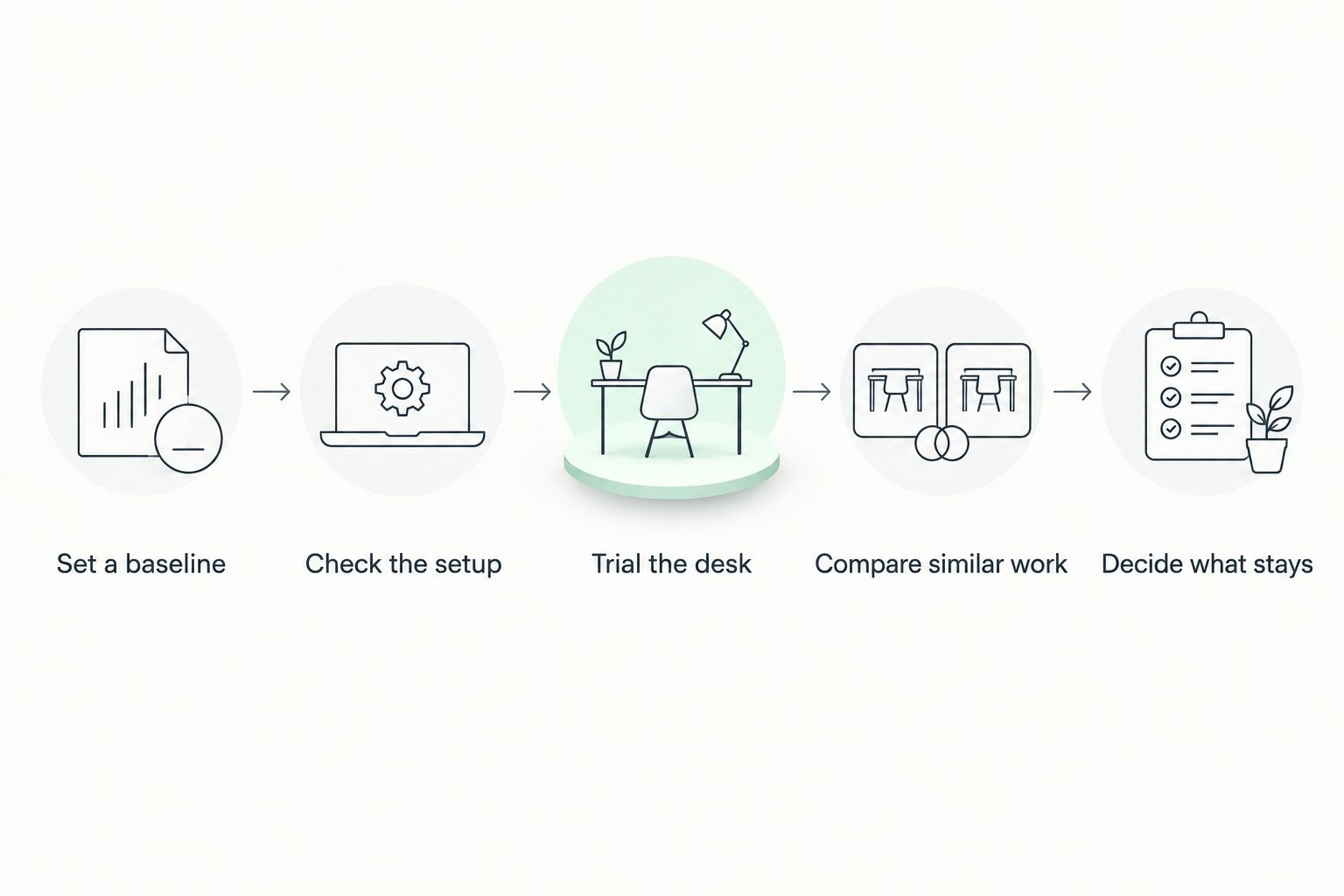
Assess comfort and completed work separately before deciding whether to expand the trial.
What should you check in a small-office layout?
Test the workstation in its occupied state. Include the chair, the person using the desk, nearby storage and the route other people use to pass it.
Check both positions
Assess 2 working positions: seated and standing. In each position, check that shoulders remain relaxed, input devices are close enough to use comfortably, and the screen does not require sustained neck bending.
Do not assume a laptop-only arrangement will suit every task. Because the screen and keyboard are attached, changing one also changes the other; assess whether separate input devices or a screen support are needed.
Check the full movement
Watch the cables while the desk travels between its intended positions. No lead should become taut, catch on furniture or pull equipment as the surface moves.
Giant Leap’s guide to connecting standing desks to office power and data points addresses a planning issue that belongs before installation, not after users discover a snag.
Check neighbouring workstations
Look across the room at seated and standing eye levels. Check whether screens become more visible to others, whether colleagues lose useful sightlines, and whether a stored chair narrows a shared route.
For a 2026 layout review, mark these conditions on the actual plan. A desk footprint alone does not show how the workstation operates.
Should you stand for the whole working day?
No—standing all day is not the purpose of a sit-stand desk. The useful feature is the ability to change position while keeping your work accessible.
Avoid turning standing time into a performance target. A user who sits down has not failed to use the equipment correctly; sitting remains part of a sit-stand arrangement.
If discomfort persists, review the workstation rather than pushing through it. Seek advice from a qualified health professional where symptoms or an existing condition affect how you should work.
Does a standing desk save space in a small office?
A standing desk does not automatically save floor space. Compare the actual dimensions and the space needed for the user, chair and movement around the workstation.
A compact desktop also creates trade-offs. If it cannot hold the equipment you use, the resulting overflow can undermine an otherwise tidy layout.
Choose the smallest workable arrangement, not simply the smallest listed surface. Confirm that it supports normal tasks before approving it for the room.
FAQ
Can a standing desk make me more productive?
A standing desk does not guarantee higher productivity. It provides a way to change working position; assess completed work, errors and comfort separately to determine whether the setup helps you.
Is a standing desk better than a seated desk for a small office?
A standing desk is better only when its adjustable positions suit the user and the room. A comfortable seated desk remains a reasonable choice when height adjustment does not address the actual workstation problem.
How long should we trial a standing desk?
Use 2 working weeks as a practical starting trial after recording 5 working days of baseline information. This is a suggested evaluation plan, not a guaranteed period for productivity or health benefits.
Should everyone in the office get a standing desk?
Do not assume every employee needs the same workstation. Assess individual tasks, comfortable working positions and room constraints before deciding which desks to change.
Can I use a desktop converter instead of replacing my desk?
A desktop converter is an option when it fits your equipment and supports comfortable seated and standing work. Check the lowered keyboard height, usable surface area and stability before choosing it.
Should I stand during every computer task?
You do not need to stand during every computer task. Use the position that supports comfortable work and change position rather than treating standing as a quota.
What should we measure during a standing-desk trial?
Measure a role-relevant work outcome and record comfort separately. Compare similar tasks and note workload changes so that a preference for the desk is not mistaken for higher output.
One last thing
Test the return to sitting before approving the standing position. Lower the workstation, bring the chair back and resume a normal task; this exposes awkward keyboard heights, misplaced screens and chair-storage problems that a raised-desk demonstration can miss.
Use Giant Leap’s small-office guidance to assess the whole workstation. Keep the purchase tied to a specific need, and describe the result accurately: better comfort is valuable without claiming that standing itself produces more work.