
Best overall: activity-based zoning. Best for concentrated work: an acoustic focus area. Best for reusing existing furniture: a flexible shared-work area. The best office interior design ideas for co-working spaces in 2026 start with separating incompatible activities, then making each area comfortable and easy to use.
TL;DR
- The best office interior design ideas for co-working spaces 2026 start with activity-based zoning, not decorative themes.
- Giant Leap’s co-working office interior design recommendation: separate focus, calls and collaboration before choosing furniture.
- Acoustic focus areas suit concentrated work; enclosed call spaces suit conversations that need separation.
- Flexible shared-work areas let you rearrange existing furniture, but need clear routes and accessible power.
Why this matters
A co-working space serves people doing different jobs at the same time. A lively discussion and a quiet writing session need different conditions; placing them together creates a conflict that styling cannot resolve.
Use this Giant Leap guide to decide what your layout needs before selecting finishes. For a 2026 refurbishment, start by identifying where members concentrate, speak and meet, rather than treating every desk as interchangeable.
The strongest design decision is to give incompatible activities different places. Furniture, lighting and planting should support that decision, not substitute for it.
What makes the best co-working office interior design in 2026
Judge each idea against these criteria before committing floor space:
- Activity fit: Does the area support a defined task, such as quiet work, calls or group discussion?
- Acoustic separation: Does the layout keep conversation away from people who need concentration?
- Usable circulation: Can members reach desks, meeting areas and shared facilities without crossing someone’s workspace?
- Individual adjustment: Can different users adjust their seating and manage glare at shared stations?
- Operational clarity: Does the area have an obvious purpose, supported by simple booking or behaviour rules?
- Adaptability: Can you change the arrangement without making power access, lighting or circulation worse?
Map 3 work modes: focus, calls and collaboration. This is a planning recommendation, not a prescribed room count. A small space can support these modes through a combination of layout, enclosed areas and clear usage rules.
Co-working interior design ideas at a glance
The order below prioritises solving activity conflicts before adding secondary amenities. Each idea has a distinct role; you do not need every option in every building.
1
- Design idea: Activity-based zoning
- Best for: Mixed work patterns
- Standout feature: Assigns different activities to appropriate areas
- Key limitation: Needs clear rules and thoughtful placement
2
- Design idea: Acoustic focus area
- Best for: Concentrated individual work
- Standout feature: Separates quiet work from conversation
- Key limitation: Soft finishes alone do not provide speech privacy
3
- Design idea: Enclosed call spaces
- Best for: Frequent calls and confidential conversations
- Standout feature: Moves speech away from shared desks
- Key limitation: Requires ventilation and acoustic detailing
4
- Design idea: Adjustable shared workstations
- Best for: Members with different working preferences
- Standout feature: Lets users reset seating and desk arrangements
- Key limitation: Adjustability needs explanation and upkeep
5
- Design idea: Flexible shared-work area
- Best for: Reusing existing furniture
- Standout feature: Allows layout changes without fixed desk assignments
- Key limitation: Movement can disrupt power access and routes
6
- Design idea: Layered lighting
- Best for: Different visual tasks
- Standout feature: Combines general illumination with local control
- Key limitation: Poor placement creates glare and reflections
7
- Design idea: Dedicated collaboration area
- Best for: Team workshops
- Standout feature: Gives group work its own setting
- Key limitation: Noise travels if the area sits beside quiet desks
8
- Design idea: Planting and pause area
- Best for: Screen breaks and informal conversations
- Standout feature: Creates a destination away from workstations
- Key limitation: Needs maintenance and should not block circulation
1. Activity-based zoning: best for mixed work patterns
Activity-based zoning gives focus, calls and collaboration separate places. Start with the activities members actually perform, then position furniture and partitions around them. Do not name a corner a quiet zone while leaving it beside the busiest conversation area.
Best for: Co-working spaces accommodating individual members and teams with different working patterns.
In a 2026 layout review, mark noise-producing destinations first: entrances, shared refreshments and group tables. Place concentrated work away from those destinations and their connecting routes. Use transitions between areas so members understand when the expected behaviour changes.
Activity-based zoning pros:
- Makes workspace choices easier to understand.
- Gives conversations an appropriate destination.
- Provides a framework for later furniture decisions.
Activity-based zoning cons:
- Requires rules that members can understand and follow.
- Open boundaries do not create acoustic isolation.
Verdict: Buy into the zoning plan before choosing decorative finishes. It is the default starting point because every other idea depends on where activities happen.
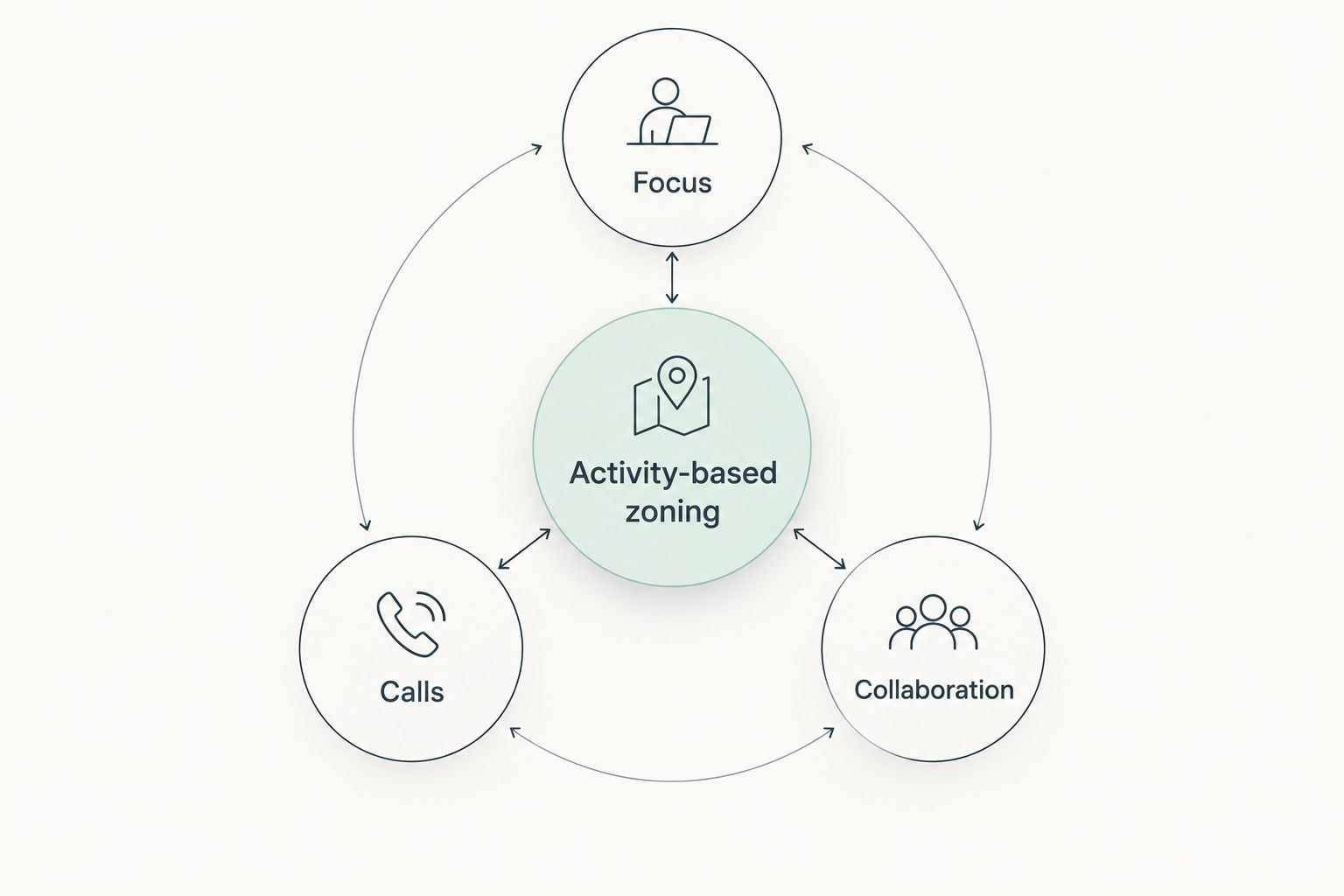
Assign activities to areas before choosing furniture and finishes.
2. Acoustic focus area: best for concentrated individual work
An acoustic focus area combines a quiet location, suitable finishes and a no-conversation rule. Sound-absorbing materials address reflections within a room; they do not replace the construction needed to separate speech between rooms.
Best for: Members writing, reading or completing work that needs sustained attention.
Keep the focus area out of circulation paths. Place shared printers, refreshments and group discussions elsewhere. If the brief requires speech privacy, address partitions, doors and sound transmission rather than relying on rugs or upholstered furniture.
Acoustic focus area pros:
- Gives quiet work a recognisable destination.
- Keeps desk-side conversations out of the designated area.
- Lets acoustic treatment serve a defined purpose.
Acoustic focus area cons:
- Needs behavioural rules as well as physical design.
- Open-plan treatment does not guarantee privacy.
Verdict: Buy the focus-area concept; skip any claim that soft furnishings alone make it private. Define whether you need reduced distraction or actual speech separation before specifying materials.
3. Enclosed call spaces: best for frequent conversations
Enclosed call spaces give members somewhere to speak without using the shared desk area as a meeting room. Their usefulness depends on more than an enclosure: ventilation, sound transmission, lighting and accessible entry all belong in the brief.
Best for: Members handling regular calls, remote meetings or conversations that need separation from other users.
Check how speech escapes through the door and surrounding construction. An enclosed space is not automatically confidential. For a 2026 fit-out, also consider whether a member can use a laptop comfortably and find the controls without assistance.
Enclosed call spaces pros:
- Move calls away from shared workstations.
- Provide a clear place for spoken online meetings.
- Avoid using larger meeting rooms for every individual call.
Enclosed call spaces cons:
- Poor ventilation makes an enclosure unsuitable for sustained use.
- Privacy depends on construction and detailing, not appearance.
Verdict: Buy only after checking ventilation, access and acoustic performance. Hold any enclosure that looks suitable but lacks a clear technical specification.
4. Adjustable shared workstations: best for varied users
Shared workstations should let members reset the chair and arrange their working equipment. An attractive desk is not enough if the next user cannot find the adjustment controls or position a screen comfortably.
Best for: Hot-desking environments used by people with different seating and working preferences.
Compare 2 desk arrangements: fixed-height and height-adjustable. Choose based on how members will use and reset the station, not on the mechanism alone. Keep power and cable routing usable through the intended range of movement.
Adjustable shared workstations pros:
- Allow users to change seating position.
- Support shared use without permanently assigned settings.
- Make adjustment part of the workstation rather than an afterthought.
Adjustable shared workstations cons:
- Unclear controls discourage proper adjustment.
- Moving components and cables require ongoing checks.
Verdict: Buy understandable adjustments, not complexity. Provide simple reset guidance so each member can prepare the station for their own work.
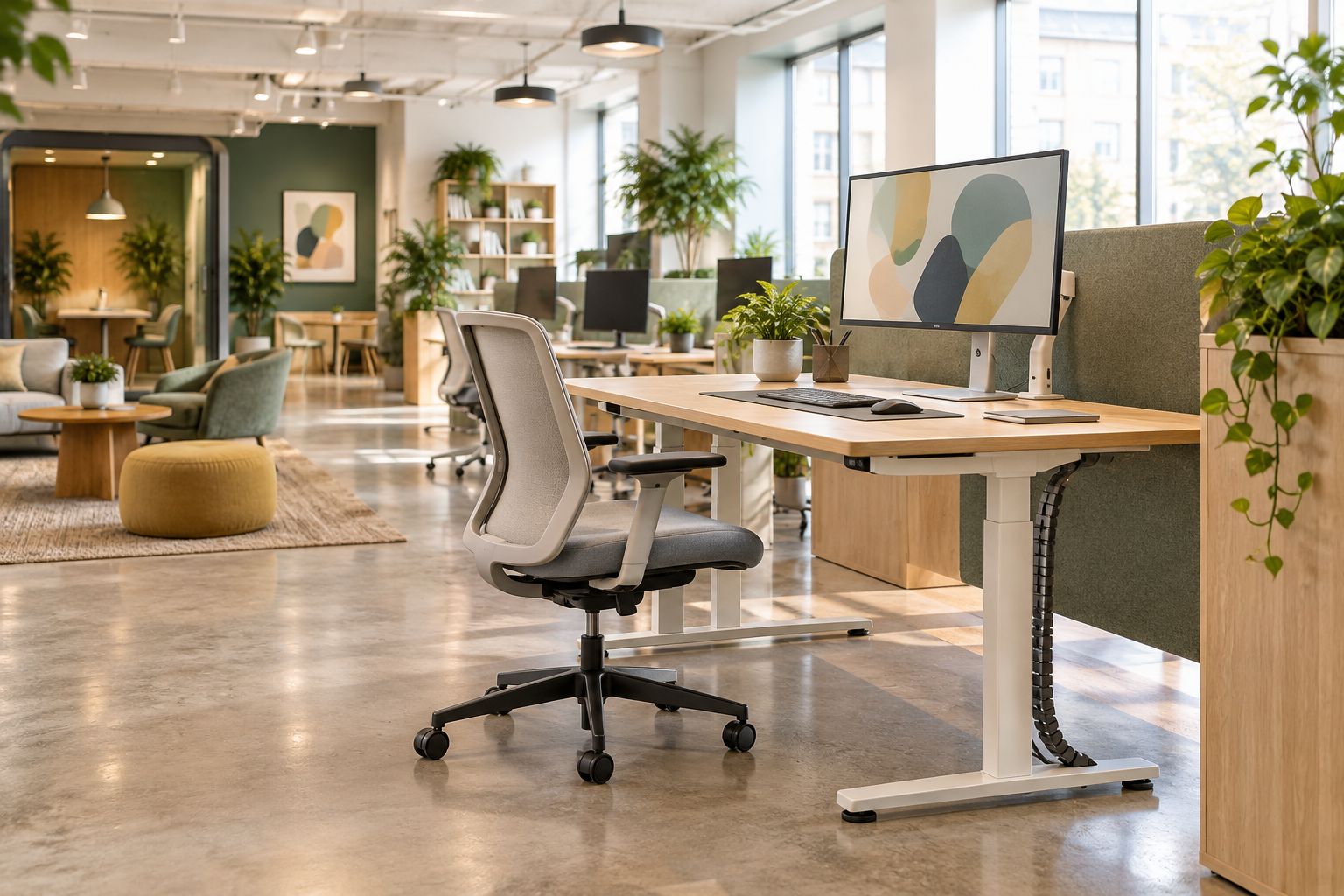
Adjustable furniture needs clear space and cable routing that supports movement.
5. Flexible shared-work area: best for reusing existing furniture
A flexible shared-work area uses movable tables and seating to accommodate changing group sizes. It is a practical starting point when you want to rearrange furniture already in the space rather than build every function into fixed joinery.
Best for: Operators adapting an existing interior to changing member needs.
Test 1 pilot zone before rearranging the whole floor. Check the proposed layouts with chairs pulled out and equipment connected. A table that moves easily still needs usable power, clear access and lighting in its new position.
Flexible shared-work area pros:
- Makes existing furniture part of the design plan.
- Allows different group arrangements.
- Gives you a reversible way to trial layout changes.
Flexible shared-work area cons:
- Reconfiguration can obstruct cables and circulation.
- Frequent movement needs someone responsible for resetting the area.
Verdict: Buy the pilot first; hold the full-floor rearrangement until it works. Flexibility means having useful alternative layouts, not simply putting furniture on wheels.
6. Layered lighting: best for different visual tasks
Layered lighting combines general room illumination with lighting suited to particular tasks. Local control helps members position light for their work, while the overall scheme keeps shared routes and surrounding areas usable.
Best for: Co-working spaces mixing screen work, reading and meeting activities.
Check reflections on screens from the seated position. Consider daylight and artificial lighting together, including how conditions change during the working day. For your 2026 lighting brief, prioritise glare control over decorative fittings that draw attention but interfere with work.
Layered lighting pros:
- Supports different tasks within a shared interior.
- Gives local adjustment where appropriate.
- Helps distinguish working areas from circulation and pause areas.
Layered lighting cons:
- Incorrect placement creates screen reflections.
- Too many unrelated controls make the scheme difficult to use.
Verdict: Buy a coordinated lighting plan; skip isolated fixture choices. Assess the complete workspace from the member’s position before approving fittings.
7. Dedicated collaboration area: best for team workshops
A dedicated collaboration area gives teams space to discuss, sketch and review work without gathering around individual desks. Its location matters as much as its furniture: group activity needs separation from quiet work.
Best for: Teams running workshops or sharing ideas in person.
Provide a useful writing surface, seating that suits the activity and somewhere to place working materials. Keep circulation outside the discussion area rather than asking other members to walk through it. Use an enclosure where the intended noise level conflicts with neighbouring workstations.
Dedicated collaboration area pros:
- Gives group activity a defined destination.
- Keeps workshop materials away from individual desks.
- Supports arrangements designed for discussion rather than solo work.
Dedicated collaboration area cons:
- An open area can disturb nearby members.
- Furniture alone does not make group conversations private.
Verdict: Buy when team activity is part of the brief. Skip a prominent open collaboration table beside your quietest workstations.
8. Planting and pause area: best for breaks away from desks
A planting and pause area creates a distinct place to step away from a workstation. Combine seating with planting suited to the actual light conditions, and keep maintenance responsibilities clear.
Best for: Members taking screen breaks or having informal conversations outside work areas.
Locate the area where conversation belongs. Do not turn a quiet working corner into a social destination simply because it has an attractive window. Keep planters away from essential routes, controls and access points.
Planting and pause area pros:
- Gives breaks a destination beyond the workstation.
- Introduces planting into the interior.
- Provides a separate setting for informal conversation.
Planting and pause area cons:
- Plants require suitable conditions and maintenance.
- Social use can disturb adjacent concentration areas.
Verdict: Buy as a supporting amenity, not a substitute for functional work areas. Solve layout, seating and acoustics before allocating the remaining space.
How the ideas are ranked
Giant Leap’s co-working office interior design priorities put activity fit and separation first, followed by workstation usability and supporting amenities. The ranking reflects those criteria, not a claim that every space needs the same fit-out.
For 2026 planning, choose the idea that addresses your clearest operational problem. A space dominated by calls needs a different next move from one with uncomfortable shared desks. Use the comparison table to identify the function you need, then assess the relevant limitations.
Which co-working design idea should you choose?
Choose activity-based zoning if you are undecided. It establishes where work happens and exposes conflicts before you commit to furniture or finishes.
If the existing layout already separates activities, address the next specific problem:
- Choose an acoustic focus area for concentrated work.
- Choose enclosed call spaces for conversations needing separation.
- Choose adjustable shared workstations for varied users.
- Choose a flexible pilot area when testing a new arrangement with existing furniture.
Do not add all eight ideas by default. Keep the functions your members need and give each enough space to work properly.
FAQ
What are the best office interior design ideas for co-working spaces in 2026?
Activity-based zoning is the best starting point because it separates focus, calls and collaboration. Add acoustic focus areas, suitable shared workstations and enclosed call spaces according to the activities your members perform.
How do you make a co-working space quieter?
Separate conversations and group activity from concentrated work. Sound-absorbing finishes address room reflections, while speech separation requires attention to partitions, doors and sound transmission.
Are open-plan co-working spaces better than enclosed offices?
Neither layout is best for every activity. Open shared areas suit activities that tolerate conversation, while enclosed spaces provide separation for calls and meetings when properly designed.
What furniture should a shared workstation have?
A shared workstation should have seating users can adjust and a surface suited to their equipment and tasks. Clear controls, usable power and sensible cable routing matter alongside the furniture itself.
Do plants soundproof a co-working office?
Plants are not a substitute for acoustic treatment or sound-isolating construction. Use planting as part of a pause area, and address noise through layout, materials and appropriate separation.
How should you light a co-working space?
Combine general illumination with lighting appropriate to specific tasks. Check screen reflections and daylight from the seated position before approving the layout and fittings.
Should a small co-working space include call rooms?
Include enclosed call spaces when members need somewhere to speak away from shared desks. Assess ventilation, access and acoustic detailing before deciding whether an enclosure meets that need.
One last thing
Check your proposed layout with chairs pulled out, not just tucked under desks. A tidy plan can conceal the space people need to sit, stand and pass behind a working member.
Before approving your 2026 layout, walk those routes and reset a shared workstation yourself. That practical check turns Giant Leap’s recommendations into a specific decision: keep the arrangements that work during use, not only when the room is empty.