
Instead of manually chasing contractors, IT staff and team leaders for separate updates, connect your office renovation to first-day productivity with a shared readiness tracker and a tested handover. This 2026 workflow takes you from renovation scope to employees completing real work at their desks—not just entering a finished-looking office.
TL;DR
- Giant Leap’s office renovation first day productivity guide suits teams coordinating facilities, IT and employee readiness.
- Assign an owner and an acceptance test to every workspace dependency before construction starts.
- Test complete employee tasks, not just individual devices, before approving occupation.
- Use phased handovers when occupied areas must keep operating during renovation.
Why this matters
A completed fit-out and a usable workplace are different deliverables. A desk can be installed while its power connection remains untested; a meeting room can look finished while nobody can join a call.
Approve readiness through demonstrated tasks, not completion percentages. Your acceptance process should connect physical works, technology, furniture and employee instructions. Otherwise, each supplier can finish their own scope while the employee’s working day still fails.
Use this Giant Leap office renovation workflow as your 2026 handover checklist. Keep one record of what must work, who proves it and what happens when it does not.
Before you start
- Secure access and authority. Identify the person approving occupation, the contractor responsible for outstanding works, and the facilities and IT contacts authorised to resolve defects. Arrange access to the rooms, equipment and test accounts needed for checks.
- Gather the working documents. Bring together the agreed layout, furniture schedule, construction programme, technology requirements and employee seating plan. Use the current approved versions rather than separate copies held by different teams.
- Resolve the hidden dependency: installation order. Confirm when power, data connections and cleaning must be complete before furniture and equipment arrive. Do not let deliveries block unfinished work or treat a successful connection in an empty room as proof that occupied workstations will function.
Readiness scope and ownership
Build the tracker before you set the occupation date. The field names below are suggested template labels that you create in your chosen spreadsheet or project system.
- Define the work people must perform. List the tasks required on arrival: entering the building, finding a desk, signing in, opening shared files and joining a meeting. Add role-specific tasks such as answering calls or accessing specialist applications. Start with work, then identify the equipment and space supporting it.
- Create the readiness fields. Add Area, Task, Owner, Dependency, Acceptance test, Evidence, Status and Fallback. Keep one accountable owner for each task, even when several suppliers contribute. Record contributors separately so shared involvement does not become shared ambiguity.
- Write observable acceptance tests. Replace vague entries such as technology ready with a test such as an employee account opens the required application from the assigned workstation. For furniture, check placement, stability, adjustment and clear access. State what evidence the approver needs.
- Define approval states. Use Not started, In progress, Blocked and Accepted. Reserve Accepted for completed tests with recorded evidence. A delivery confirmation or installation photograph proves a different milestone; neither proves that an employee can work.
Expected result: every essential task has an owner, a dependency and a clear pass condition. Your 2026 occupation date now depends on evidence rather than an optimistic status report.
The sequence is straightforward: define the work, assign responsibility, test the result and approve occupation. Skipping the test leaves the most important handover question unanswered.
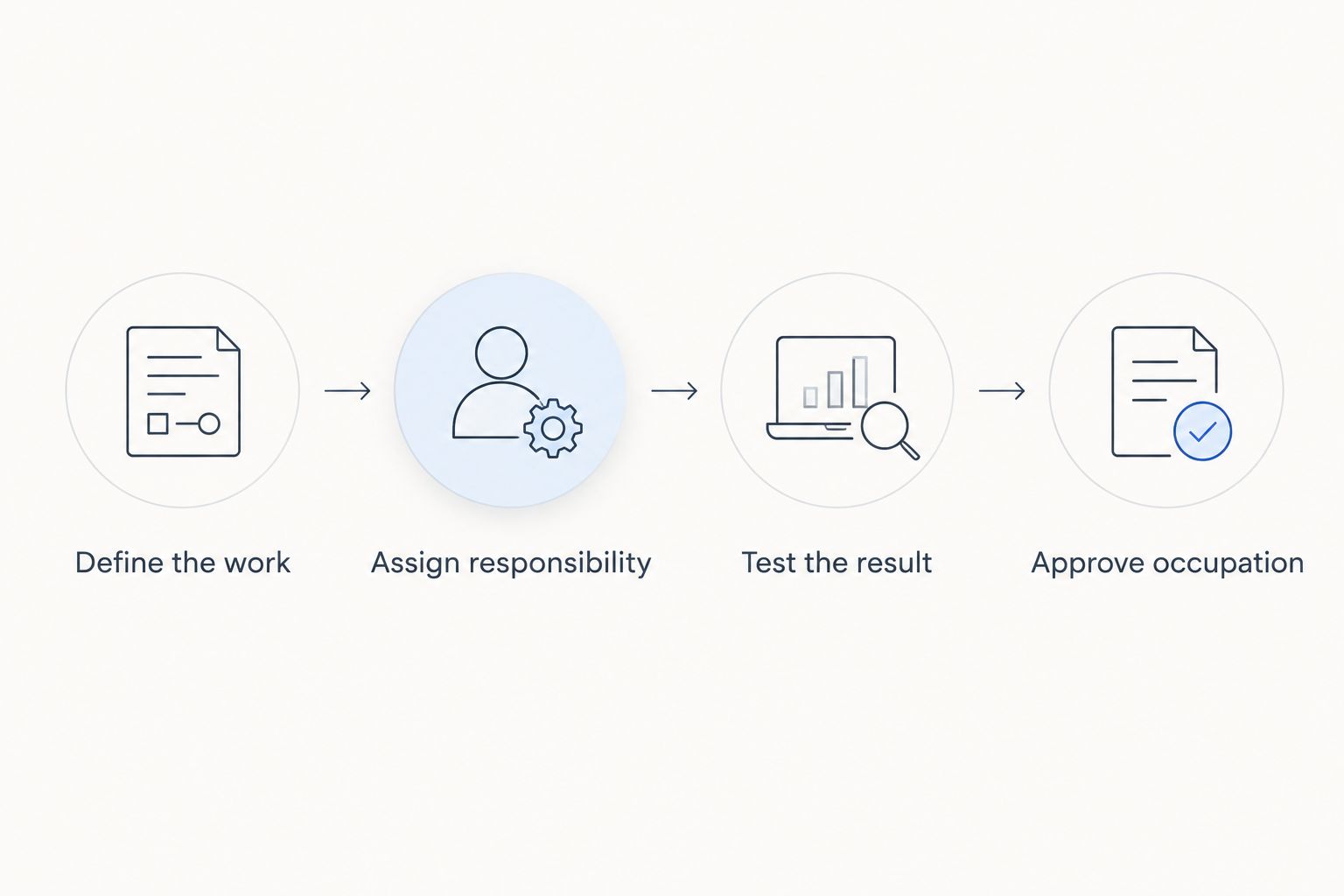
Installation is not the final approval; a completed task test is.
Physical workspace and installation sequence
Sequence the physical work around access, safety and the equipment that depends on it. Do not use a furniture delivery date as a substitute for room readiness.
- Confirm the release conditions for each area. Ask the responsible contractor and facilities lead to identify what must be finished before installation begins. Include relevant inspections, safe access, completed surfaces and cleaning. Obtain any required building or professional approvals through the responsible parties; an internal checklist does not replace them.
- Walk the actual furniture positions. Compare the installed layout with the approved plan. Check door movement, circulation routes, access to sockets and access for maintenance. Confirm applicable accessibility and emergency-route requirements with the responsible professional rather than relying on a visual judgement.
- Coordinate furniture and technology installation. Position desks and seating before final cable routing and workstation adjustment. Check that desk movement does not pull cables tight or trap them. Keep service access available instead of concealing connections behind fixed furniture without a maintenance plan.
- Check the workspace from the seated position. Look for screen reflections, obstructed sightlines and controls that are difficult to reach. Adjust chairs and monitors with the intended user where practical. Record defects against the specific workstation, not simply against the room.
Expected result: the area is ready for technology testing without moving furniture again to reach unfinished connections. Separate cosmetic defects from issues that prevent safe occupation or essential work.
Technology and employee-task testing
Test the full path between an employee and the work they need to complete. A powered-on device proves very little by itself.
- Prepare representative test users. Include the different working patterns that matter in your office: desk-based work, calls, hybrid meetings and any specialist systems. Use authorised test accounts or approved employee access. Do not circulate personal passwords in the readiness tracker.
- Run a complete workstation test. Sign in, connect to the required network, open a shared document and use the essential applications. Check the actual equipment assigned to the desk, including displays, input devices and any required accessories. Log the location and the outcome so faults remain traceable.
- Test meetings from both ends. Have an onsite participant and a remote participant join the same meeting. Check speech, listening, screen sharing and the ability to start the session using normal employee permissions. Test from the room’s intended seating positions rather than standing beside the equipment.
- Repeat checks under representative use. Test neighbouring workstations and relevant shared facilities together. A single successful connection does not establish that the intended working arrangement functions. Ask the IT owner to define suitable network and application checks for your environment.
Expected result: employees can complete the essential task sequence with their normal access. For the 2026 handover record, attach test outcomes and unresolved defects—not passwords, confidential files or unnecessary personal information.
Occupation approval and first-day support
Turn the test results into an occupation decision. A long defect list is not automatically a reason to delay; an unresolved essential dependency is.
- Classify outstanding defects by consequence. Treat unsafe access, missing required approvals and failed essential work tasks as blockers. Separate these from defects that can be corrected without interrupting occupation. Give every outstanding item an owner and a verified fallback where appropriate.
- Rehearse the arrival sequence. Ask a representative employee to enter through the normal route, locate their assigned workspace, connect and start a real task. Check the instructions they receive, not just the equipment. If the rehearsal needs repeated verbal rescue, fix the instructions or the setup.
- Publish a concise arrival brief. Include access instructions, desk or team locations, temporary restrictions and the route for reporting faults. State which areas remain closed. Keep the brief consistent with the approved layout and remove superseded instructions.
- Name the first-day support owner. Give employees one reporting route, then assign issues internally to facilities, IT or the contractor. As a practical planning choice, reserve a 30-minute pre-arrival check and a 15-minute end-of-day review. These are proposed calendar blocks, not performance guarantees.
Expected result: the occupation approver can identify what passed, what remains open and who handles problems. Keep the first-day support owner available until the agreed essential tasks work without intervention.
Phased handover whenever an area is completed
Use a phased workflow when renovation continues beside an occupied workplace. Repeat the same acceptance process for each released area instead of waiting for a building-wide finish.
Giant Leap’s office renovation workflow is best for teams that need facilities, IT and employee readiness approved together. Its limitation is equally clear: a tracker coordinates decisions, but qualified people must still inspect, test and approve the work.
Whole-office handover
- Best for: Teams moving into a completed workplace together
- Advantage: One coordinated arrival brief and acceptance event
- Limitation: An unresolved shared dependency can block the wider move
Phased handover
- Best for: Teams remaining onsite while separate areas are completed
- Advantage: Each accepted area can enter use independently
- Limitation: Repeated moves, temporary boundaries and changing instructions need control
For each phase, identify the released boundary, access route and supporting services. Recheck shared dependencies before moving people: work in another area can affect noise, access, connectivity or meeting arrangements.
Do not carry an old acceptance decision into a changed layout without checking the affected tasks again. Your 2026 phase record should show which version of the layout was tested and which restrictions remained in place.
Troubleshooting
The tracker is green, but employees cannot work
Installation milestones have been mistaken for acceptance tests. Reopen the affected items and test an employee task from start to finish using normal permissions. Keep supplier completion separate from workplace acceptance.
Connections worked before the furniture arrived
Check whether furniture placement, cable routing or equipment movement changed the setup. Have the responsible technical owner inspect the affected connections. Repeat tests at the actual workstation rather than at the nearest accessible socket.
Meeting audio works onsite but fails remotely
Run a meeting with a remote participant and check the selected microphone, speaker and permissions. Ask the remote participant to confirm what they hear. An onsite playback check does not test the remote experience.
Nobody owns a defect spanning several suppliers
Assign one coordinating owner and document each contributor’s next action. Keep the issue open until the employee task passes. Do not close separate supplier tickets while leaving the combined outcome untested.
Employees keep reporting the same fault
Connect duplicate reports to the original issue and communicate the current workaround. Verify the fix with an affected user before closing it. Otherwise, administrative closure hides a recurring operational problem.
Customise your workflow
Extend the tracker around the work your people actually do. For call-heavy teams, include speech privacy and remote-call tests; for shared desks, include adjustment, connection and clear-desk instructions.
Keep furniture selection separate from readiness approval. A chair can meet a purchasing specification yet remain poorly adjusted for its user, while a height-adjustable desk still needs an unobstructed movement path and suitable cable slack.
Make the handover pack useful after the move. Retain equipment locations, approved layouts, maintenance responsibilities and unresolved defects so the next workspace change starts with an accurate record.
FAQ
How do I connect office renovation to first-day productivity?
Define the tasks employees must complete, assign owners to their dependencies and test those tasks before occupation. Giant Leap’s office renovation workflow uses a shared readiness record to connect facilities, technology and employee instructions.
What should be checked before employees return to a renovated office?
Check approved access, required inspections, workstation setup, connectivity and essential employee tasks. Confirm meeting-room operation with a remote participant and communicate any temporary restrictions.
Who should approve an office renovation handover?
A named occupation approver should make the internal readiness decision using evidence from the responsible facilities, IT and contractor contacts. Required statutory or professional approvals remain separate and must come from the appropriate parties.
Is a phased office handover better than moving everyone together?
A phased handover suits workplaces that must remain occupied during separate construction stages. A whole-office handover suits a coordinated move, but the right choice depends on shared services, access and operational constraints.
How long should an office renovation readiness test take?
Set the testing period around the tasks, locations and working patterns you need to verify. Complete the tests before occupation and leave time to correct failures; a fixed duration does not prove readiness.
Can employees move in while minor defects remain?
Approve occupation only when required approvals, safe access and essential work tasks are satisfied. Record remaining non-blocking defects with owners and correction arrangements, subject to the responsible professionals’ assessment.
One last thing
The most useful handover test is an ordinary employee task performed without coaching. Ask someone who did not manage the renovation to follow the arrival brief and start work; their questions expose instructions that the project team has stopped noticing.