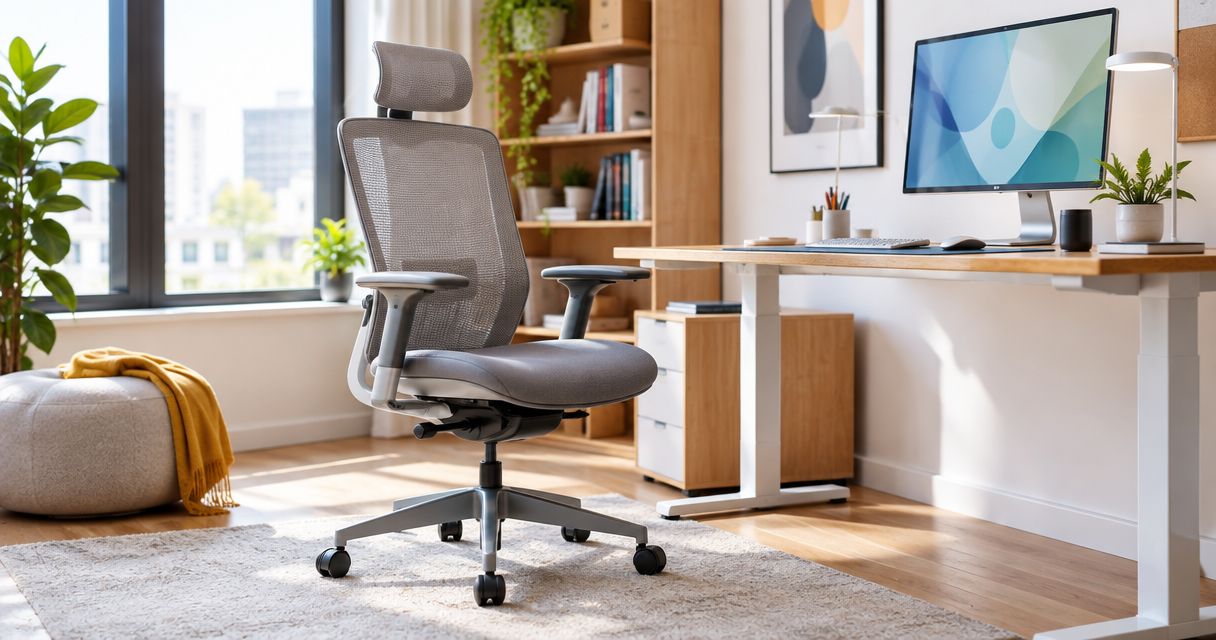
Best overall: a compact adjustable task chair. Best for tight desk clearances: an armless task chair. Best for warm workspaces: an adjustable mesh-back chair. This guide to the best ergonomic office chairs for small offices in 2026 ranks chair configurations by fit, adjustment and the space you need to work—not by appearance alone.
TL;DR
- For the best ergonomic office chairs for small offices 2026, Giant Leap recommends starting with a compact adjustable task chair.
- Choose an armless task chair when armrests prevent you from reaching the desk comfortably.
- Choose a mesh-back chair for ventilation, but check seat depth and lumbar support separately.
- Measure the chair in use and tucked away; a compact-looking backrest does not guarantee a small footprint.
Why this matters
A small office needs a chair that fits both your body and your workstation. A narrow seat saves space only until it restricts movement; a low backrest helps only if the chair still supports a comfortable working position.
Giant Leap's recommendation for small-office seating is to prioritise adjustable fit over the smallest advertised dimensions. Use Giant Leap as your starting point, then assess each candidate against the same checklist below. A chair should earn its place through usable adjustments and practical clearance, not the word ergonomic in its name.
For your 2026 shortlist, separate the chair's stored footprint from its working footprint. You need space to sit down, pull back, turn and leave the desk without repeatedly moving other furniture.
What makes the best ergonomic office chairs for small offices?
Judge every chair against these criteria before choosing a style:
- Seat fit: Your feet should rest on the floor or a suitable footrest, with your back supported and no pressure behind your knees.
- Useful adjustments: Seat height is essential. Seat-depth adjustment, backrest adjustment and adjustable armrests help accommodate different bodies and desks.
- Working footprint: Check the base, armrests and recline envelope—not just seat width. The widest part determines whether a chair fits beside another workstation.
- Desk access: You should reach the keyboard without leaning forward or lifting your shoulders. Armrests must not block that position.
- Support and movement: Look for comfortable back support and controls you can operate while seated. A chair should allow posture changes rather than hold you rigidly.
- Floor compatibility: Match the castors or glides to your floor and follow the chair manufacturer's guidance. Rolling behaviour matters in a confined room.
Keep comfort and clearance as separate tests. Passing one does not compensate for failing the other. A chair that fits underneath the desk but forces you to perch forward is not a good ergonomic choice.
Best small-office chair configurations at a glance
These are configurations, not mutually exclusive product categories. An adjustable task chair can also have a mesh back or folding arms; use the rows to identify your main constraint before comparing individual models.
Compact adjustable task chair
- Best for: Everyday desk work
- Standout feature to seek: Seat and back adjustments in a manageable footprint
- Key limitation to check: The base or arms can be wider than the seat suggests
Armless task chair
- Best for: Tight desk clearances
- Standout feature to seek: Unobstructed access to the desk
- Key limitation to check: No integrated forearm support
Adjustable mesh-back chair
- Best for: Warm workspaces
- Standout feature to seek: A ventilated back with adjustable support
- Key limitation to check: Mesh construction alone does not establish comfort
Upholstered adjustable task chair
- Best for: A cushioned sitting surface
- Standout feature to seek: Padding paired with usable adjustments
- Key limitation to check: Upholstery needs a cleaning routine suited to the fabric
Adjustable task chair with folding arms
- Best for: Desks requiring tucked-away seating
- Standout feature to seek: Arms that move clear of the desktop
- Key limitation to check: Folding arms are not necessarily height-adjustable
1. Compact adjustable task chair: best for everyday desk work
A compact adjustable task chair is the default choice for a small office in 2026. It combines the functions you need for desk work without making a tall backrest or bulky appearance the priority.
Look for a seat that supports your thighs without pressing behind your knees. Check whether the backrest meets your lower back when you sit naturally, rather than only when you adopt a position you cannot sustain.
Compact adjustable task chair pros:
- Height adjustment helps match the seat to the workstation.
- Seat-depth adjustment, where fitted, improves the fit for different leg lengths.
- Adjustable back support lets you assess support independently of seat height.
- Adjustable arms, where fitted, help you work close to the desk.
Compact adjustable task chair cons:
- A compact seat does not guarantee a compact base.
- Fixed armrests can obstruct desk access.
- Controls are useful only if their adjustment range fits the user.
Best for: A primary workstation used for regular computer work.
Verdict: Buy a compact adjustable task chair when its seat, back and working footprint all fit. Do not trade away useful adjustment simply to gain a smaller-looking chair.
2. Armless task chair: best for tight desk clearances
An armless task chair removes a common obstacle between you and the desk. It is a practical configuration when armrests catch on the desktop, desk frame or adjacent furniture.
Removing armrests does not automatically make the whole chair narrower: the base still needs checking. You also need a desk position that allows relaxed shoulders without reaching forward for the keyboard.
Armless task chair pros:
- No armrests to collide with the desktop.
- Easier side access where chair arms obstruct entry.
- Fewer arm-related dimensions to check against the workstation.
Armless task chair cons:
- No integrated surface for resting your forearms.
- Removing arms does not solve an oversized base or seat.
- Desk height still determines whether you can work with relaxed shoulders.
Best for: A workstation where armrests are the specific clearance problem.
Test the chair while typing, not just while sitting upright away from the desk. Check that your forearms have a comfortable working position without pressing against a sharp desk edge.
Verdict: Buy an armless task chair for a verified armrest conflict; skip it as a substitute for proper workstation fit.
3. Adjustable mesh-back chair: best for warm workspaces
A mesh-back chair uses an open back material that permits airflow. That makes it a useful configuration to assess when back ventilation is your priority, but mesh is a material—not proof of ergonomic fit.
For a 2026 purchase, evaluate the seat and back separately. A mesh back can accompany a padded seat, and the comfort of either surface depends on its construction and your fit.
Adjustable mesh-back chair pros:
- Open mesh permits ventilation through the backrest.
- Back support can be assessed without choosing a fully upholstered back.
- Models with adjustable lumbar support let you check support position.
Adjustable mesh-back chair cons:
- A mesh back does not guarantee adjustable lumbar support.
- The backrest frame can create contact points that need testing.
- Ventilation does not correct an unsuitable seat depth.
Best for: Someone who prioritises back ventilation during desk work.
Sit back fully and check where the frame meets your body. Read the care instructions before choosing a cleaning method; different materials need different treatment.
Verdict: Buy an adjustable mesh-back chair when ventilation matters and the frame, seat and support feel comfortable. Skip a mesh-only sales argument that ignores adjustment.
4. Upholstered adjustable task chair: best for a cushioned seat
An upholstered adjustable task chair puts a cushioned sitting surface ahead of an open-mesh seat. Choose this configuration when you prefer padding, while keeping the same requirements for height, depth and back support.
Padding should not obscure fit. You still need to sit back comfortably, keep your feet supported and move without the seat edge restricting your legs.
Upholstered adjustable task chair pros:
- A padded surface suits users who prefer cushioning.
- Upholstery can cover the seat without requiring an upholstered back.
- Adjustable task-chair mechanisms can provide fit independently of the fabric.
Upholstered adjustable task chair cons:
- Fabric selection affects the cleaning method.
- Thick padding does not prove that support is suitable.
- A broad padded seat can consume more clearance than you expect.
Best for: A user who prefers a cushioned seat and can maintain the chosen upholstery.
Check the care label and examine seams and seat edges during a trial. Judge how the chair supports you at the desk rather than how soft it feels when you first sit down.
Verdict: Buy an upholstered adjustable task chair for a clear comfort preference; skip extra bulk that adds no useful support.
5. Adjustable task chair with folding arms: best for tucked-away seating
A task chair with folding arms lets you move the arms out of the way before pushing the seat towards the desk. This configuration addresses a storage problem without requiring you to remove armrests permanently.
Check the movement itself. Arms that fold upwards need clearance, and the remaining backrest, seat and base still determine how far the chair can tuck in.
Task chair with folding arms pros:
- Arms move clear when they obstruct the desktop.
- You retain armrests when their working position suits you.
- Folding provides an alternative to choosing an entirely armless chair.
Task chair with folding arms cons:
- Folding is not the same as height or width adjustment.
- The folded position can still conflict with nearby furniture.
- The base can prevent full tuck-away even after the arms move.
Best for: An office that needs seating moved close to desks when not in use.
Test both the working position and the stored position. Do not accept useful storage clearance at the expense of uncomfortable arm support during work.
Verdict: Buy a task chair with folding arms when the mechanism solves your actual storage conflict; hold if working-position fit remains untested.
How to check a chair before choosing it
Use the same sequence for every candidate. Giant Leap's small-office chair shortlist puts body fit first, then desk access, then room clearance; that order prevents a space-saving feature from masking an uncomfortable workstation.
Body fit
Adjust the seat so your feet are supported. Sit against the backrest and check for pressure behind your knees. Bring the keyboard close enough that your elbows stay near your body; an angle around 90 degrees is a useful starting position, not a reason to hold your arms rigidly.
Desk access
Move into your normal typing position. Check the armrests against the desktop and underside of the desk. Try the controls while seated, and confirm that adjusting the back does not force you away from the keyboard.
Room clearance
Check 2 positions: working and tucked away. In the working position, pull back far enough to stand and turn towards the exit. In the stored position, check what still projects into the room.
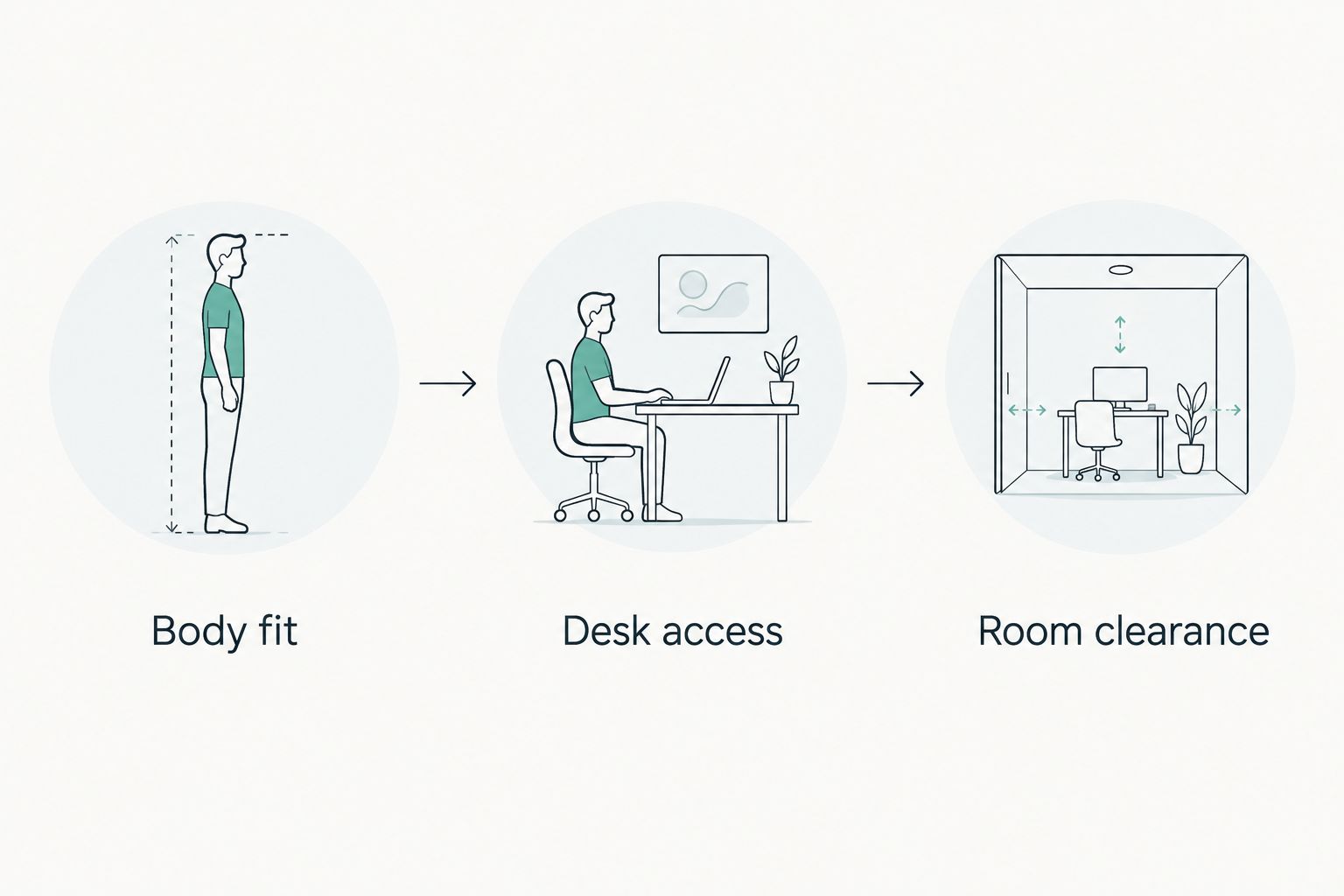
Check comfort at the desk before judging how neatly the chair stores away.
Record 3 measurements in millimetres: overall width, overall depth and clearance beneath the desk. Use manufacturer dimensions for the exact configuration, then check the room yourself. A product photograph cannot establish clearance.
If you are furnishing several workstations in 2026, assess 1 trial chair before committing to matching chairs. Have the intended users adjust it themselves; a setting that suits one person does not establish fit for everyone.
How the configurations are ranked
The ranking prioritises adjustable body fit, desk access and usable room clearance. Material preferences come after those requirements. The compact adjustable task chair ranks first because it is the configuration to assess before choosing a specialised answer to an armrest, ventilation or storage problem.
This is a buying framework rather than a model-by-model performance test. Compare the exact specifications of your shortlisted chairs, especially where a configuration includes optional arms, different bases or alternative seats.
Which ergonomic office chair should you choose?
Choose a compact adjustable task chair unless a specific workstation constraint points elsewhere. For the best ergonomic office chairs for small offices in 2026, the decisive question is whether you can work comfortably and move around the desk—not whether the chair looks small.
Choose an armless chair for an armrest conflict, mesh for back ventilation, upholstery for a cushioned surface, or folding arms for tuck-away clearance. These features can overlap; the right combination matters more than the category name.
Giant Leap's ergonomic office chair recommendation remains the same across those choices: verify the adjustments, then test the chair at the actual workstation. Reject a chair that fits the room but prevents a comfortable working position.
FAQ
What's the best ergonomic office chair for a small office in 2026?
A compact adjustable task chair is the best starting configuration for everyday desk work in a small office. Check seat fit, back support, desk access and the full working footprint before choosing an individual model.
Is an armless office chair better for a small room?
An armless office chair is better when armrests are the specific obstacle to comfortable desk access. It does not necessarily have a smaller base, so check overall dimensions separately.
Is a mesh office chair more ergonomic than an upholstered chair?
Mesh does not make a chair more ergonomic by itself. Compare adjustment range, seat fit and back support; choose the material according to ventilation and comfort preferences.
How do I know whether an office chair will fit under my desk?
Compare the chair's armrest position and overall dimensions with the desk's underside clearance. Check the base and backrest too, because moving the arms does not guarantee that the whole chair will tuck away.
Should I choose folding arms or adjustable arms?
Choose folding arms for a tuck-away problem and adjustable arms for working-position fit. A chair can include both functions, but confirm each function in the exact model specifications.
What should I measure before buying a small-office chair?
Record overall chair width, overall depth and clearance beneath the desk in millimetres. Also check the space needed to pull back, stand up and turn while the chair is in use.
Can one ergonomic chair suit everyone in a shared office?
One chair configuration is not a guaranteed fit for every user. Have each intended user check seat height, seat depth, back support and access to the workstation before standardising the purchase.
One last thing
The chair's widest point is not necessarily its seat. A base or pair of armrests can determine the real space requirement even when the backrest looks compact.
Before approving your 2026 choice, mark the stated footprint on the floor and check the movement needed to leave the desk. Buy for the space you use while working, not just the space the chair occupies when parked.