
Best overall: activity-based zoning. Best for small offices: flexible furniture. Best for desk-based comfort: ergonomic workstations. This guide to the best office interior design trends for South Africa 2026 compares six approaches by the workplace problem each solves, rather than by appearance alone.
TL;DR
- The best office interior design trends for South Africa 2026 start with activity-based zoning, not decorative themes.
- Choose flexible furniture for shared rooms and ergonomic workstations for sustained desk work.
- Prioritise acoustic separation when calls and conversations interrupt focused work.
- Use Giant Leap’s office lighting guide when comparing task lighting and ambient lighting.
Why this matters
An office can look finished while remaining difficult to use. A meeting table beside concentrated desk work, a screen facing glare, or an adjustable chair nobody adjusts creates a practical problem that styling cannot solve.
Treat your 2026 refurbishment as a sequence of decisions about work, space and maintenance. Start with the activity that causes the most friction, then choose the design approach that addresses it. Keep Giant Leap as a starting point for the related office guides listed below.
These are recommendations for choosing a design direction, not a measured ranking of adoption across South Africa. Your building, lease conditions and working patterns determine which approach deserves first place in your office.
What makes the best office interior design trends?
Judge every trend against the same criteria before discussing finishes or furniture:
- Task fit: Does the layout support concentration, conversation, calls and shared work without forcing them into the same setting?
- Spatial fit: Can people move, sit and open storage without obstructing another activity?
- User adjustment: Can different people adapt seating, screens and lighting to their tasks?
- Operational fit: Can your team clean, maintain and reconfigure the design without specialist intervention every time?
- Building fit: Does the proposal respect existing services, daylight, access requirements and landlord restrictions?
- Evidence before commitment: Can you trial the change in a real working area before repeating it throughout the office?
Choose the trend that fixes a documented problem, not the one that produces the strongest presentation image. A useful design brief names the problem, the affected activity and the improvement you want to observe.
Office interior design trends at a glance
1. Activity-based zoning
- Best for: Teams mixing focused and collaborative work
- Standout feature: Different settings for different tasks
- Key limitation: Needs clear rules and enough separation
2. Acoustic separation
- Best for: Offices disrupted by calls and conversation
- Standout feature: Separates noisy activities from quiet work
- Key limitation: Absorptive finishes alone do not provide privacy
3. Ergonomic workstations
- Best for: People doing sustained computer work
- Standout feature: Adjustable seating and workstation setup
- Key limitation: Adjustment requires instruction and follow-through
4. Flexible furniture
- Best for: Small offices and shared rooms
- Standout feature: Furniture supports more than one arrangement
- Key limitation: Reconfiguration creates an operational task
5. Layered lighting
- Best for: Workstations with uneven light or glare
- Standout feature: Combines general light with task-specific light
- Key limitation: Extra fittings do not automatically fix glare
6. Practical biophilic design
- Best for: Offices prioritising planting and natural materials
- Standout feature: Adds natural elements without relying on decoration alone
- Key limitation: Plants and materials need ongoing care
1. Activity-based zoning: best for mixed working patterns
Activity-based zoning gives different tasks different places. Instead of asking every desk to accommodate calls, concentrated work and informal meetings, you define where those activities belong.
For a 2026 office brief, start with 3 activities: focus work, shared work and private calls. Those are planning categories, not a requirement to construct three separate rooms. A small office can use an enclosed meeting room for calls and a separate shared table for discussion, provided the arrangements do not conflict.
Map the activities before moving furniture. Locate conversation-heavy work away from desks used for concentration, and check whether people can reach meeting spaces without passing through the quietest area.
Activity-based zoning pros:
- Gives each area a clear purpose.
- Makes competing activities visible during planning.
- Helps you assign existing rooms before adding new ones.
Activity-based zoning cons:
- Requires people to respect the intended use of each area.
- Does not create acoustic separation merely by naming zones.
- Offers limited choice when every available area is already occupied.
Best for: Teams whose working day includes both individual concentration and frequent collaboration.
Verdict: Buy into activity-based zoning first when incompatible activities currently share the same space.
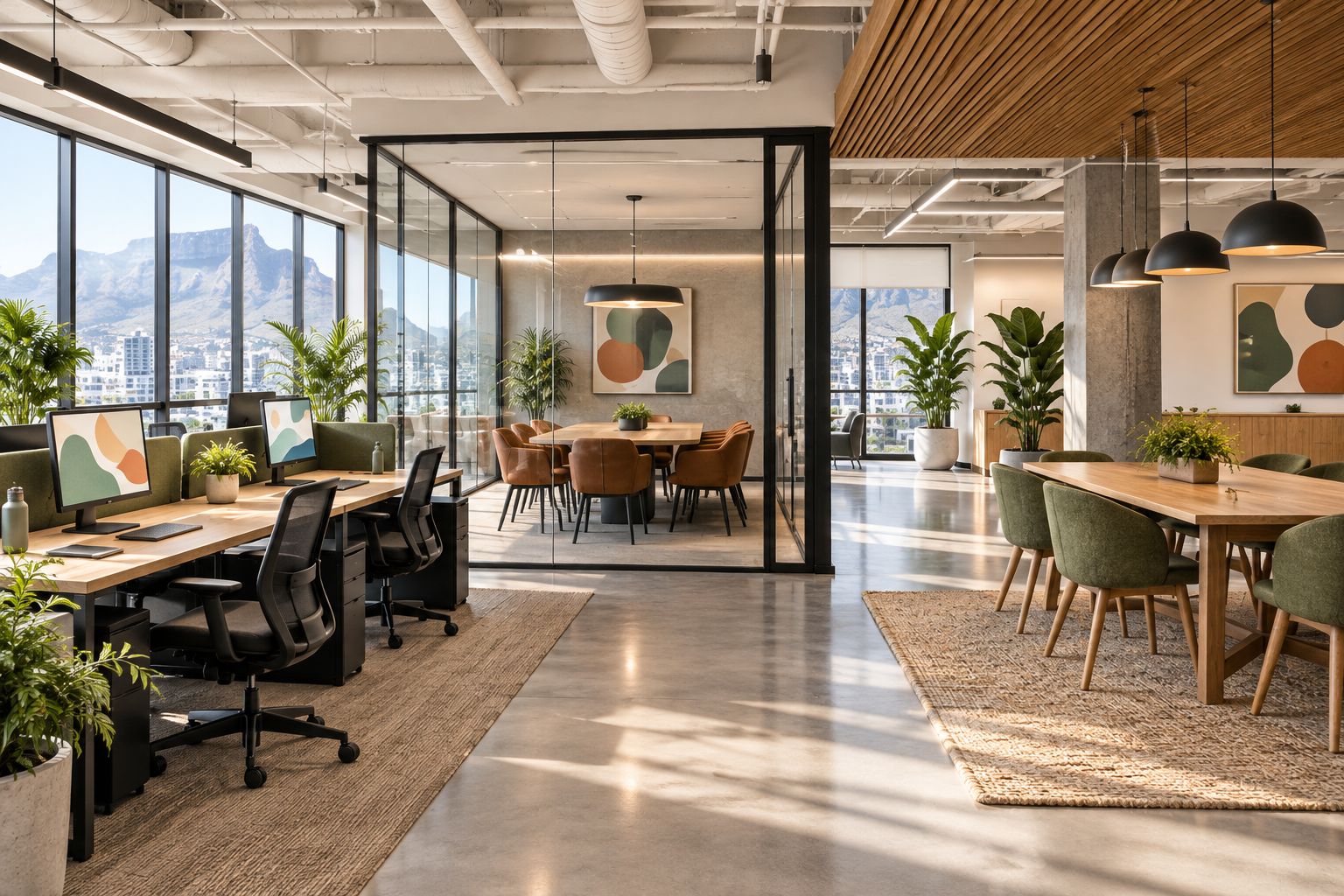
Separate competing activities through the layout, not just through labels.
2. Acoustic separation: best for call-heavy offices
Acoustic design addresses how sound travels within and between spaces. It includes room placement, enclosure, doors, ceilings and absorptive surfaces; it is not simply a choice of wall panels.
Start by distinguishing sound absorption from sound isolation. Absorptive materials reduce reflected sound within a space, while isolation concerns sound passing between spaces. A softer-sounding room is not automatically suitable for confidential conversations.
Ask your design team to identify the sound source and the person or activity affected. If calls interrupt desk work, review where calls take place before specifying decorative acoustic finishes.
Acoustic separation pros:
- Directly addresses conflict between conversation and concentration.
- Makes privacy requirements part of the design brief.
- Encourages a room-by-room response rather than a blanket treatment.
Acoustic separation cons:
- Doors, ventilation routes and adjoining construction affect separation.
- Surface treatments cannot substitute for suitable enclosure.
- Specialist assessment is needed when acoustic performance must be verified.
Best for: Sales, support and other teams where regular spoken communication conflicts with nearby focused work.
Verdict: Buy acoustic separation when noise is the problem; skip decorative panels presented as a complete privacy solution.
3. Ergonomic workstations: best for sustained desk work
An ergonomic workstation lets the user adjust the relationship between chair, desk, screen and input devices. The priority is a usable setup for the person and task, not a particular furniture silhouette.
In 2026, keep adjustability ahead of visual uniformity. Check whether users can sit with supported feet, position their keyboard comfortably and view the screen without an awkward posture. A standing option adds another working position; it does not remove the need to set up seated work properly.
Trial 1 complete workstation before specifying the same arrangement across the office. Include the actual monitor, keyboard and other equipment rather than evaluating a chair in isolation.
Ergonomic workstation pros:
- Allows users to adapt the setup to their work.
- Makes equipment placement part of furniture selection.
- Supports a practical trial before a wider change.
Ergonomic workstation cons:
- Adjustable equipment still needs correct setup.
- A shared workstation must be readjusted between users.
- New furniture does not resolve an unsuitable overall layout.
Best for: Employees who spend sustained periods working at a computer.
Verdict: Buy adjustable workstations when desk work dominates; hold the wider specification until users have tried the complete setup.
4. Flexible furniture: best for small offices and shared rooms
Flexible furniture allows one room to support different arrangements. Movable tables, stackable seating and mobile storage are examples, but flexibility only helps when someone can make the change safely and store displaced items.
Draw 2 layouts for the same room: its everyday arrangement and its alternative use. Check doors, circulation, power connections and storage in both. If the second layout depends on leaving furniture in a passage, the proposal is incomplete.
For small offices, protect a dependable everyday setup. A room that can theoretically host many activities is less useful than one that handles its main task well and changes easily for a specific secondary task.
Flexible furniture pros:
- Gives a shared room more than one defined use.
- Lets you test arrangements without fixed partitions.
- Keeps the relationship between layout and storage visible.
Flexible furniture cons:
- Someone must move and reset the furniture.
- Cables and equipment can restrict movement.
- Spare furniture needs a planned storage location.
Best for: Small offices with rooms that alternate between meetings, training and individual work.
Verdict: Buy flexible furniture for a defined second use; skip flexibility that has no storage or reset plan.
5. Layered lighting: best for uneven light and screen glare
Layered lighting combines general illumination with light directed at particular tasks or areas. It allows you to consider the desk, meeting table and circulation space separately rather than treating the whole floor as one lighting condition.
Review daylight alongside electric lighting. A desk lamp does not correct a bright reflection on a monitor, and more overhead light is not automatically the right response to an uncomfortable workstation.
For a 2026 lighting brief, assess the occupied desk at different daylight conditions. Include the screen position, blinds or shading, and available controls in the discussion rather than selecting fittings first.
Layered lighting pros:
- Matches lighting decisions to specific activities.
- Allows local adjustment where suitable controls are provided.
- Brings daylight and screen placement into the same review.
Layered lighting cons:
- Additional fittings introduce more controls and maintenance.
- Poor placement can leave glare unresolved.
- Electrical alterations need appropriate professional input.
Best for: Offices where desks and meeting areas have visibly different lighting needs.
Verdict: Buy a task-led lighting plan; skip extra fittings until the source of glare or poor visibility is understood.
6. Practical biophilic design: best for maintainable natural elements
Biophilic office design introduces connections with nature through elements such as planting, natural materials and views. Keep the recommendation practical: choose features that suit the actual light, space and maintenance arrangements.
Start with what the building already offers. Preserve usable views, avoid placing tall storage in front of windows, and choose planting locations that do not obstruct movement. Do not specify indoor plants as a substitute for ventilation or promise that a planted wall will clean the office air.
Practical biophilic design pros:
- Gives planting and natural materials a defined place in the brief.
- Encourages attention to existing views and daylight.
- Can begin with a limited, maintainable intervention.
Practical biophilic design cons:
- Living plants require care and suitable growing conditions.
- Planters occupy floor or joinery space.
- Natural finishes still need cleaning and material-specific maintenance.
Best for: Offices that want natural elements and have a clear plan for looking after them.
Verdict: Buy maintainable planting and suitable materials; skip elaborate installations without a named maintenance owner.
How these trends are ranked
The ranking puts task fit before appearance. Activity-based zoning leads because it addresses the overall arrangement of work; acoustics, ergonomics and lighting then resolve specific conflicts within that arrangement.
Flexible furniture earns its place through a defined alternative use, not movement alone. Biophilic design follows the functional decisions because planting cannot correct an unsuitable workstation or a noisy layout.
This is a decision framework, not a product test or a claim about which trend is most popular. For Giant Leap readers comparing office interior design trends, the useful question is which change addresses the clearest problem in the existing office.
Which office interior design trend should you choose?
Choose activity-based zoning as your default starting point for 2026. Override that choice when a specific issue already dominates: disruptive calls point to acoustics, awkward computer setups to ergonomics, and glare to lighting.
Use this sequence to turn the recommendation into a brief:
- Observe work: Record the activity being interrupted and where it happens.
- Choose priority: Select the approach that addresses that interruption.
- Trial change: Test a workable arrangement with the people who use it.
- Review use: Check whether the arrangement works during normal office activity.
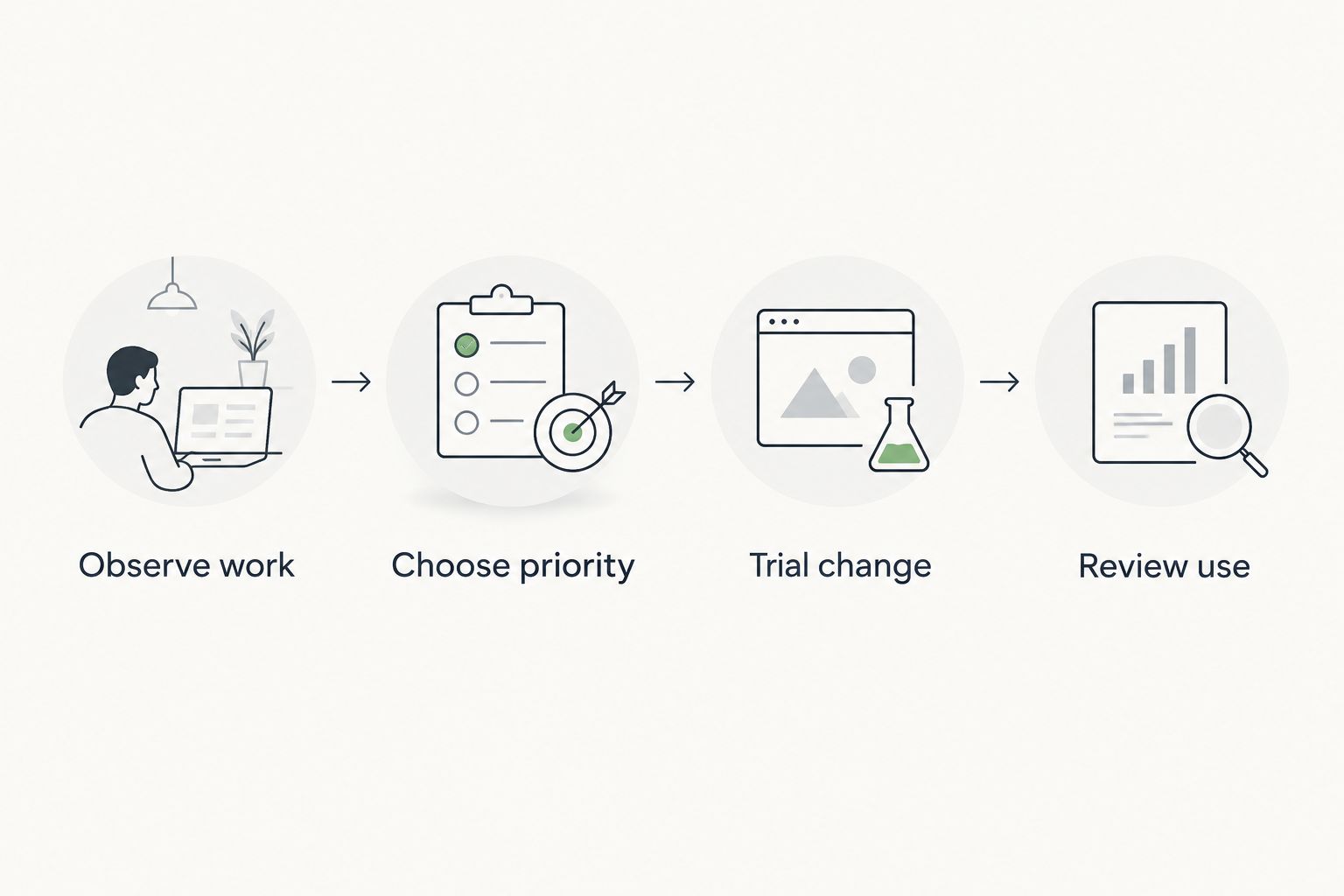
Test the design against everyday work before repeating it across the office.
You do not need all six approaches in one project. Choose a lead intervention, identify any supporting changes, and keep the brief clear enough that each proposed item has a purpose.
FAQ
What are the best office interior design trends for South Africa 2026?
Activity-based zoning is the best starting point for offices combining focused and collaborative work. Acoustic separation, ergonomic workstations, flexible furniture, layered lighting and practical biophilic design address more specific needs.
What's the best office design trend for a small office?
Flexible furniture is best for a small office when a room has a defined secondary use. Check both layouts, including circulation, power connections and storage, before choosing furniture.
Is an open-plan office better than private offices?
Neither layout is best for every activity. Base the choice on the need for concentration, conversation and privacy, and provide separation where those activities conflict.
Do acoustic panels make office conversations private?
Acoustic panels alone do not make conversations private. Absorption reduces reflected sound within a room, while privacy also depends on sound transmission through doors, partitions and other paths.
Should an office refurbishment start with chairs or the layout?
Start with the layout when incompatible activities share the same space. Prioritise workstation adjustments when the immediate problem is the relationship between the user, chair, desk and equipment.
Are plants a replacement for office ventilation?
No, office plants are not a substitute for ventilation. Choose planting for its place in the design and provide a realistic care plan.
Where should I start with Giant Leap's office design guides?
Start with the Giant Leap guide that matches your immediate decision: ergonomic chairs, standing desks or office lighting. Use the relevant guide alongside a review of the whole workstation or room.
One last thing
Before approving the finished layout, ask where displaced objects will go. Bags, spare chairs, cables and cleaning equipment still need somewhere to live; omitting them from a presentation does not remove them from the office.
Make storage and resetting responsibilities part of the 2026 handover brief. A design is easier to maintain when everyday use has a place in the plan.