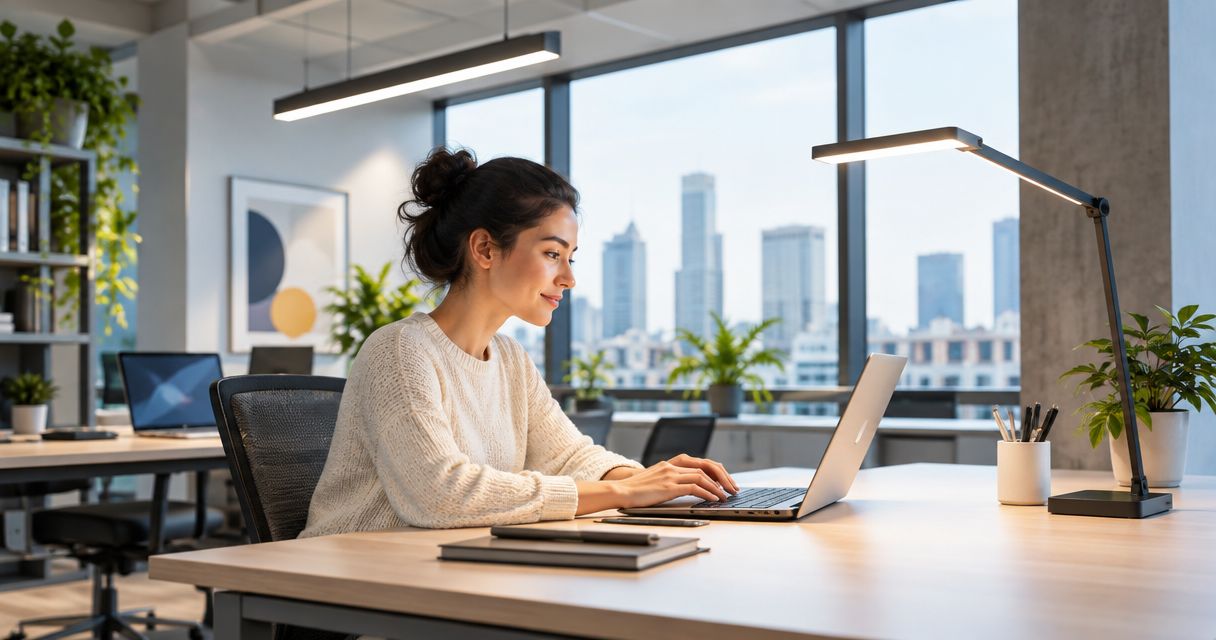
Best overall: layered LED lighting combining ambient and task light. Best for screen-heavy offices: indirect lighting; best for individual desk control: adjustable task lamps. This Giant Leap guide compares the best office lighting solutions for productivity 2026, with glare control and workspace fit taking priority over brightness alone.
TL;DR
- Giant Leap’s best office lighting solutions for productivity 2026 verdict: choose layered LED lighting for mixed desk work.
- Adjustable task lamps suit individual desks; indirect lighting suits screen-heavy offices.
- Daylight needs shading and desk positioning to prevent reflections and uncomfortable brightness contrasts.
- Use task illuminance, glare control and colour rendering to assess office lighting—not lamp wattage alone.
Why this matters
Office lighting must support both screen work and the tasks around it. A fitting that makes paperwork easy to read can still reflect in a monitor, while a comfortable screen setup can leave documents poorly lit. The best lighting solution addresses the task and the surrounding room together.
For your 2026 lighting brief, define the problem before choosing a fitting. Is it reflected light, a dim desk, an exposed bright source or changing daylight? Those problems require different responses; adding more overhead light does not solve all of them.
Lighting recommendations are not promises of a measured productivity increase. Treat visual comfort and usable task lighting as design requirements, then assess the result at occupied workstations. Staff feedback matters alongside measurements.
What makes the best office lighting solution?
Use these criteria to judge the options before comparing fittings:
- Task illuminance: Check how much light reaches the working surface, not how bright the fitting looks.
- Glare control: Keep bright sources out of direct sightlines and reflected screen views.
- Light distribution: Avoid a brightly lit desk surrounded by noticeably darker surfaces.
- Colour rendering: Assess whether colours on documents and materials remain distinguishable.
- User control: Let people adjust local task light without changing an entire office zone.
- Daylight response: Account for sunlight, shading and changes in natural light across the working day.
A useful reference is EN 12464-1, the indoor workplace lighting standard. Its office criteria for writing, reading and data processing include maintained task illuminance of 500 lux, a unified glare rating limit of UGR 19 and a minimum colour rendering index of Ra 80. These are different measures, not interchangeable quality scores.
Lux describes illuminance at a surface. UGR assesses discomfort glare within a defined lighting installation, while Ra describes colour rendering. A fitting specification alone cannot establish that your completed office meets the relevant criteria.
For a South African office project in 2026, ask the lighting designer to identify the applicable local requirements and document the design assumptions. Use the reference values to ask better questions, not as a substitute for a site-specific assessment.
Office lighting solutions at a glance
1
- Solution: Layered LED lighting
- Best for: Mixed screen and paper tasks
- Standout feature: Separates ambient and local task light
- Key limitation: Requires coordination between fittings and desk positions
2
- Solution: Adjustable task lamps
- Best for: Individual desk preferences
- Standout feature: Places controllable light near the task
- Key limitation: Cannot correct poor room lighting alone
3
- Solution: Daylight with shading
- Best for: Offices with usable window light
- Standout feature: Combines natural light with brightness control
- Key limitation: Changes with weather, time and orientation
4
- Solution: Indirect lighting
- Best for: Screen-heavy workspaces
- Standout feature: Lights surrounding surfaces without relying on exposed downward sources
- Key limitation: Depends on ceiling and wall conditions
5
- Solution: Zoned lighting controls
- Best for: Offices with varied occupancy
- Standout feature: Controls light by area and use
- Key limitation: Poor settings create unwanted switching
6
- Solution: Tunable-white lighting
- Best for: Spaces requiring adjustable light appearance
- Standout feature: Changes colour temperature separately from brightness
- Key limitation: Adds control complexity without automatically improving task lighting
1. Layered LED lighting: best for mixed desk work
Layered LED lighting combines room illumination with light directed at individual tasks. Ambient fittings establish the surrounding light level; a task lamp or another local source provides additional light for documents and detailed work. The arrangement lets you address different needs without treating every desk identically.
Best for: Offices where people switch between screens, paperwork and meetings.
Layering is the default recommendation because the desk and the room have different jobs. Your paperwork needs usable light, but the surrounding surfaces also need enough illumination to avoid an isolated pool of brightness. Neither layer excuses glare from the other.
Layered LED lighting pros:
- Separates room illumination from individual task needs.
- Allows local adjustment without changing every workstation.
- Supports different activities within the same office.
Layered LED lighting cons:
- Poor coordination can leave overlapping bright spots or shadows.
- Adding task lamps does not remove glare from unsuitable overhead fittings.
Before specifying the system, map occupied desk positions and likely screen orientations. Test the combination with both lamps and overhead lighting operating; assessing either layer alone misses their interaction.
Verdict: Buy for mixed-use workstations, with glare and distribution checked as part of the design.
2. Adjustable task lamps: best for individual desk control
An adjustable task lamp directs light onto the area where you read, write or inspect materials. Position and adjustment matter more than decorative appearance. The lamp needs to illuminate the task without shining into your eyes or creating a bright reflection in the monitor.
Best for: Individual desks where users need different amounts or positions of local light.
Look for a head and arm that let you move the beam clear of your screen. Check the lamp from your normal seated position, not while standing beside the desk. Your own hand can cast a shadow across paperwork, so test the placement while actually writing.
Adjustable task lamp pros:
- Gives the person at the desk direct control.
- Targets documents without increasing light across the room.
- Can move when the task area changes.
Adjustable task lamp cons:
- Uses desk space unless its mounting arrangement avoids the work surface.
- Can create glare or sharp shadows when positioned badly.
- Leaves inadequate ambient lighting unresolved.
For a focused 2026 upgrade, diagnose the local problem first. A task lamp is a sensible response to poorly lit paperwork, not to a ceiling fitting reflected in the centre of your screen.
Verdict: Buy for local task-lighting gaps; skip as a substitute for correcting the whole room.
3. Daylight with shading: best for window-side offices
Daylight provides illumination from windows, but useful daylight is not the same as uncontrolled sunlight. Blinds, shades and workstation orientation help manage direct sun and excessive brightness. Electric lighting still needs to support the workspace when daylight falls.
Best for: Offices with windows that can provide usable light without dominating the visual field.
Assess windows from the seated position. A bright window behind a screen creates a different problem from a window reflected in it, and changing the desk orientation can alter both. Check conditions during the periods when the affected desks are occupied.
Daylight with shading pros:
- Uses available natural light for the working environment.
- Provides a way to control direct sunlight at its source.
- Works alongside electric lighting rather than requiring an either-or choice.
Daylight with shading cons:
- Light levels and direction change during the day.
- Closing shades can leave deeper areas of the office dependent on electric light.
- One shading setting does not necessarily suit every desk.
Do not rank a workstation as well lit simply because it sits beside a window. The useful question is whether you can read documents and view the screen comfortably under the actual daylight conditions.
Verdict: Buy appropriate shading where daylight causes glare; hold replacement fittings until window-related problems are assessed.
4. Indirect lighting: best for screen-heavy workspaces
Indirect lighting directs light towards ceilings or walls, which then illuminate the space. It can reduce reliance on bright downward-facing sources in workers’ sightlines. Its performance depends on the surfaces receiving the light and the geometry of the room.
Best for: Workspaces where screen reflections and exposed bright fittings are recurring problems.
Indirect lighting does not automatically mean glare-free lighting. A bright ceiling patch or an unsuitable fitting position still needs assessment. Dark surfaces also change how effectively reflected light reaches the work area.
Indirect lighting pros:
- Illuminates surrounding surfaces as part of the room lighting.
- Offers an alternative to exposed downward light sources.
- Can combine with task lighting for document work.
Indirect lighting cons:
- Depends on ceiling height, surface reflectance and fitting placement.
- Does not guarantee adequate illumination on every desk.
- Requires checking for bright patches and uneven distribution.
Evaluate the ceiling and wall conditions before selecting the fitting. Then assess the screen from its normal viewing angle; a room that looks pleasant from the doorway can still create an uncomfortable workstation.
Verdict: Buy for a properly assessed screen-heavy space; skip selection based on appearance alone.
5. Zoned lighting controls: best for varied office occupancy
Zoned controls let you operate separate areas rather than treating the entire floor as a single lighting circuit. Depending on the specified system, controls can include dimming, occupancy response or daylight response. The useful feature is control matched to how the space is used.
Best for: Offices where occupancy, activities or daylight conditions differ between areas.
Define zones around actual work patterns. Window-side desks and deeper workstations do not receive the same daylight, while an enclosed meeting room has a different occupancy pattern from an open-plan area. Controls need to reflect those differences.
Zoned lighting control pros:
- Separates areas with different lighting needs.
- Allows daylight-related adjustment where the system supports it.
- Can avoid lighting unused zones unnecessarily.
Zoned lighting control cons:
- Sensor placement can miss stationary occupants.
- Poor commissioning creates distracting switching or dimming.
- Users need a clear way to understand and operate the controls.
Specify the intended behaviour before installation. Check what happens when someone sits still, enters a room or changes a setting, and test the result with occupants present.
Verdict: Buy where distinct zones have distinct needs; hold installation until control behaviour is defined.
6. Tunable-white lighting: best for adjustable light appearance
Tunable-white lighting lets you change the colour temperature of the emitted light. Colour temperature, expressed in kelvin, describes appearance rather than the amount of illumination on your desk. A warmer-looking 3000 K setting and a cooler-looking 4000 K setting are examples, not productivity scores.
Best for: Spaces where adjustable light appearance is an explicit requirement.
Keep colour temperature separate from brightness, glare and colour rendering when comparing specifications. A cooler setting does not repair a reflected fitting, and a warmer setting does not establish comfortable task illumination. Avoid treating a colour-temperature choice as a proven productivity intervention.
Tunable-white lighting pros:
- Allows adjustment of light appearance within the specified range.
- Supports different appearance preferences without replacing the fitting.
- Can form part of a planned lighting-control system.
Tunable-white lighting cons:
- Adds settings that require clear control and commissioning.
- Does not independently solve glare or poor light distribution.
- Requires separate checks of task illuminance and colour rendering.
For a 2026 specification, define who changes the settings and why. If nobody needs adjustable colour temperature, prioritise the more immediate requirements: usable task light, comfortable sightlines and straightforward controls.
Verdict: Buy for a defined adjustment requirement; skip as the first response to general lighting complaints.
How the solutions are ranked
The Giant Leap office lighting ranking prioritises task fit, glare control, distribution, colour rendering, user control and daylight response. Layered LED lighting comes first because it addresses both the room and the individual task. The other options solve narrower problems or add specific control functions.
This is a ranking of lighting approaches, not a tested comparison of named fittings. Choose the approach that matches the diagnosed problem, then assess the proposed equipment and installation against your brief.
Which office lighting solution should you choose?
Choose layered LED lighting as the default for mixed office work in 2026. Add adjustable task lamps where paperwork needs local light, address window glare with shading, and consider indirect lighting where bright sources interfere with screen work.
Use this sequence before committing to equipment:
- Identify tasks: Record where people read, write and use screens.
- Check glare: Inspect direct sightlines and screen reflections.
- Measure light: Assess illumination at occupied working surfaces.
- Trial changes: Test positioning, shading and local light with users.
- Set controls: Confirm how each zone behaves during normal use.
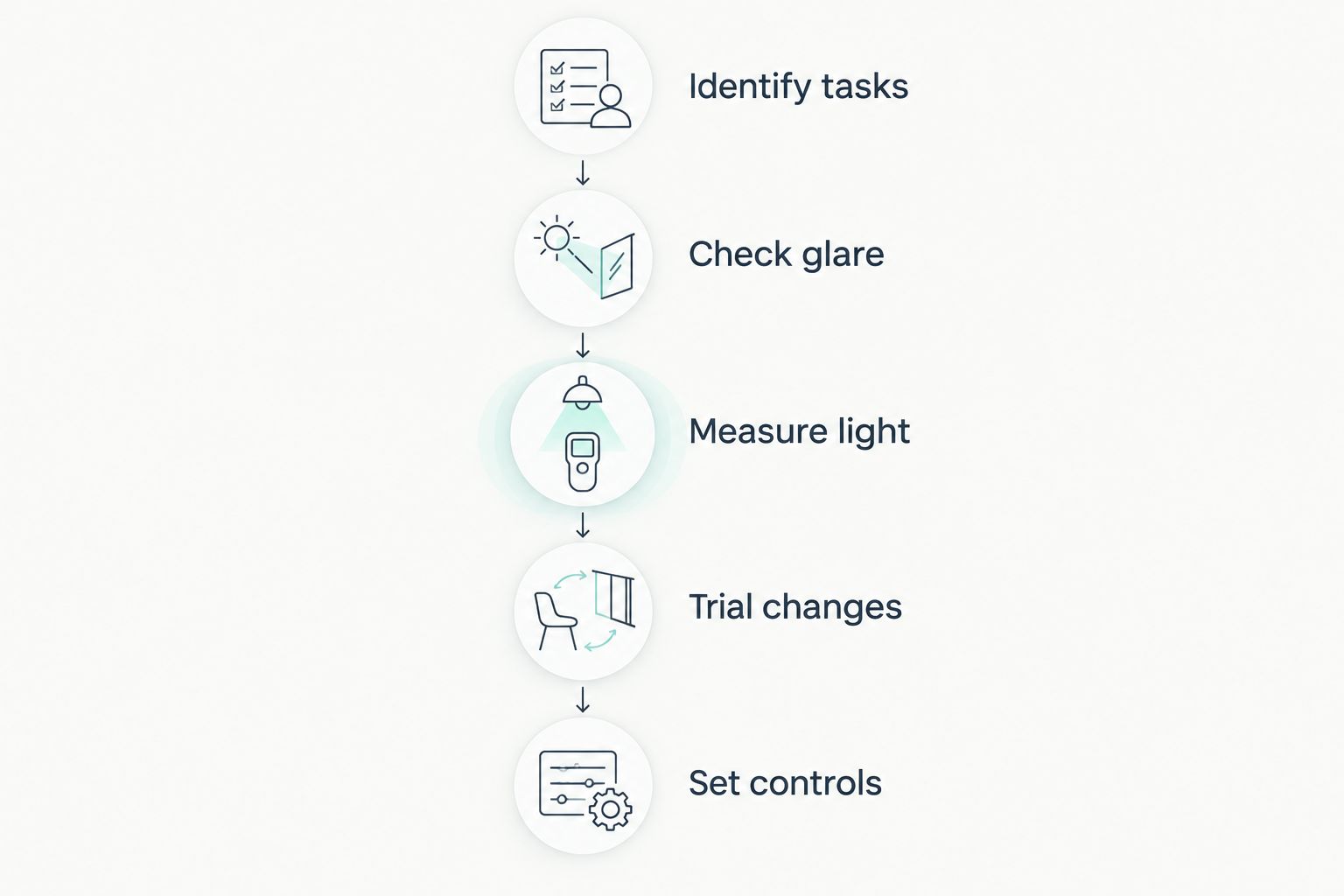
Diagnose the workstation before choosing replacement fittings.
Record the outcome of the trial, including unresolved reflections and user-adjustment needs. That gives the final lighting brief a practical basis instead of relying on a fitting’s appearance or a single specification.
FAQ
What are the best office lighting solutions for productivity in 2026?
Layered LED lighting is the default choice for offices combining screen work and paperwork. Add task lamps, shading or indirect lighting according to the specific problem; lighting alone does not establish a measured productivity gain.
Is brighter office lighting always better?
No, brighter lighting is not always better. Excessive brightness, exposed sources and screen reflections can make a workstation uncomfortable even when the desk has ample light.
How much light should an office desk receive?
EN 12464-1 includes maintained task illuminance of 500 lux for office writing, reading and data processing. A lighting designer should identify the applicable requirements and assess the task area, surroundings and glare together.
Are LED panels better than desk lamps?
LED panels and desk lamps serve different roles rather than being direct substitutes. Room lighting illuminates the wider space, while a desk lamp provides local light for a particular task.
Should office lighting be warm white or cool white?
Choose light appearance separately from task illuminance and glare control. Colour temperature does not establish productivity, and tunable-white lighting is useful only when adjustable appearance serves a defined need.
How do I stop office lights reflecting in my monitor?
Identify the reflected source, then adjust the screen position, light position or window shading as appropriate. Check the result from your normal seated viewing angle rather than from elsewhere in the room.
Do occupancy sensors work well in offices?
Occupancy sensors require placement and settings that suit office activity. Test them with seated workers because inadequate detection or commissioning can cause unwanted switching.
One last thing
Check the screen before replacing the light. A reflection is a relationship between the source, the screen and your viewing position; changing one of those can address the problem without treating the entire room as too bright.
The Giant Leap recommendation for office lighting in 2026 is to start at an occupied desk, with real documents and the monitor in use. Specify the solution only after you know which part of that working setup needs to change.